Pickleball Mixer
Twenty players, four courts, and nobody arguing about who sits out. Pickleball Mixer builds balanced rounds, keeps the matchups fresh, stops the same people sitting out twice, and tracks every result as you play.
The same job for tennis, padel, badminton, table tennis and squash - doubles or singles, on 1 to 20 courts.


A look inside
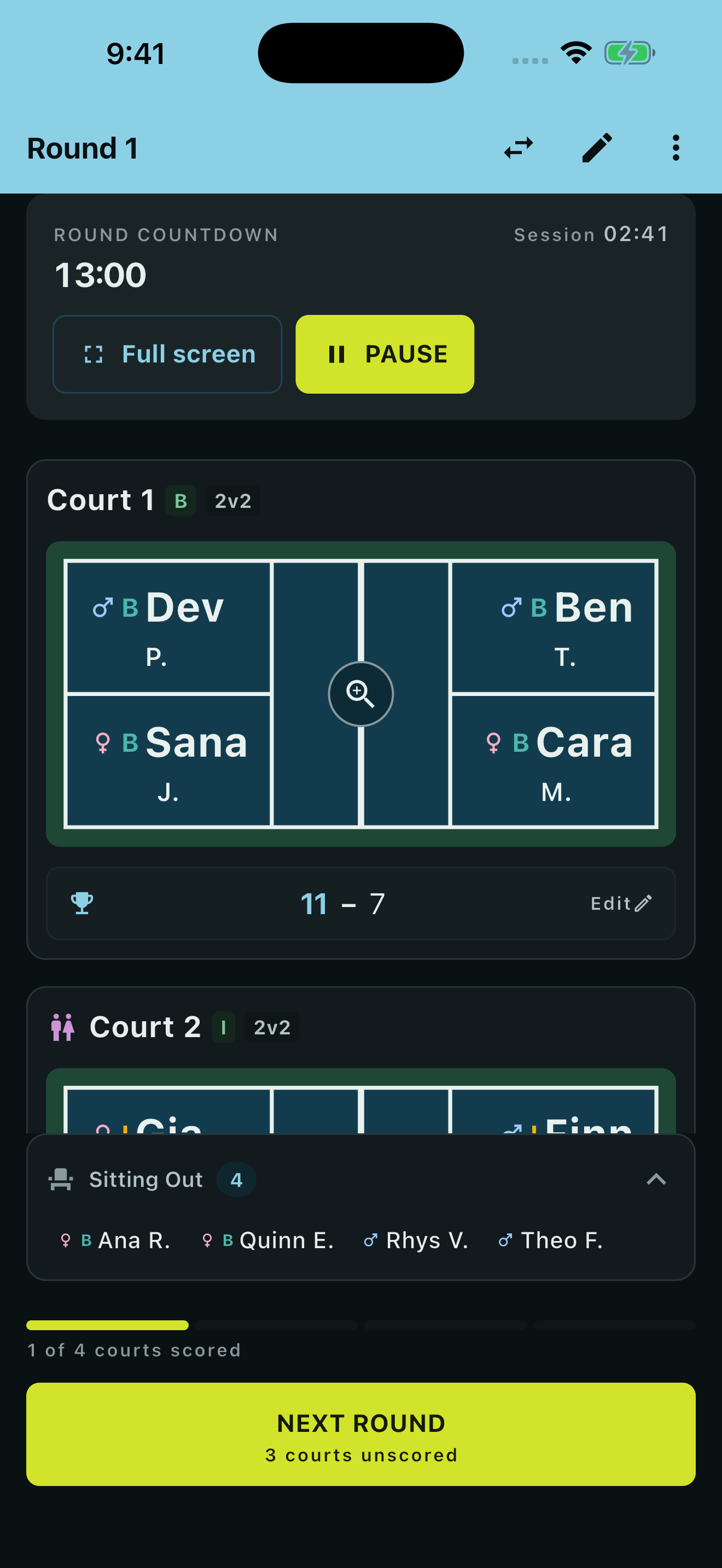
A round in progress
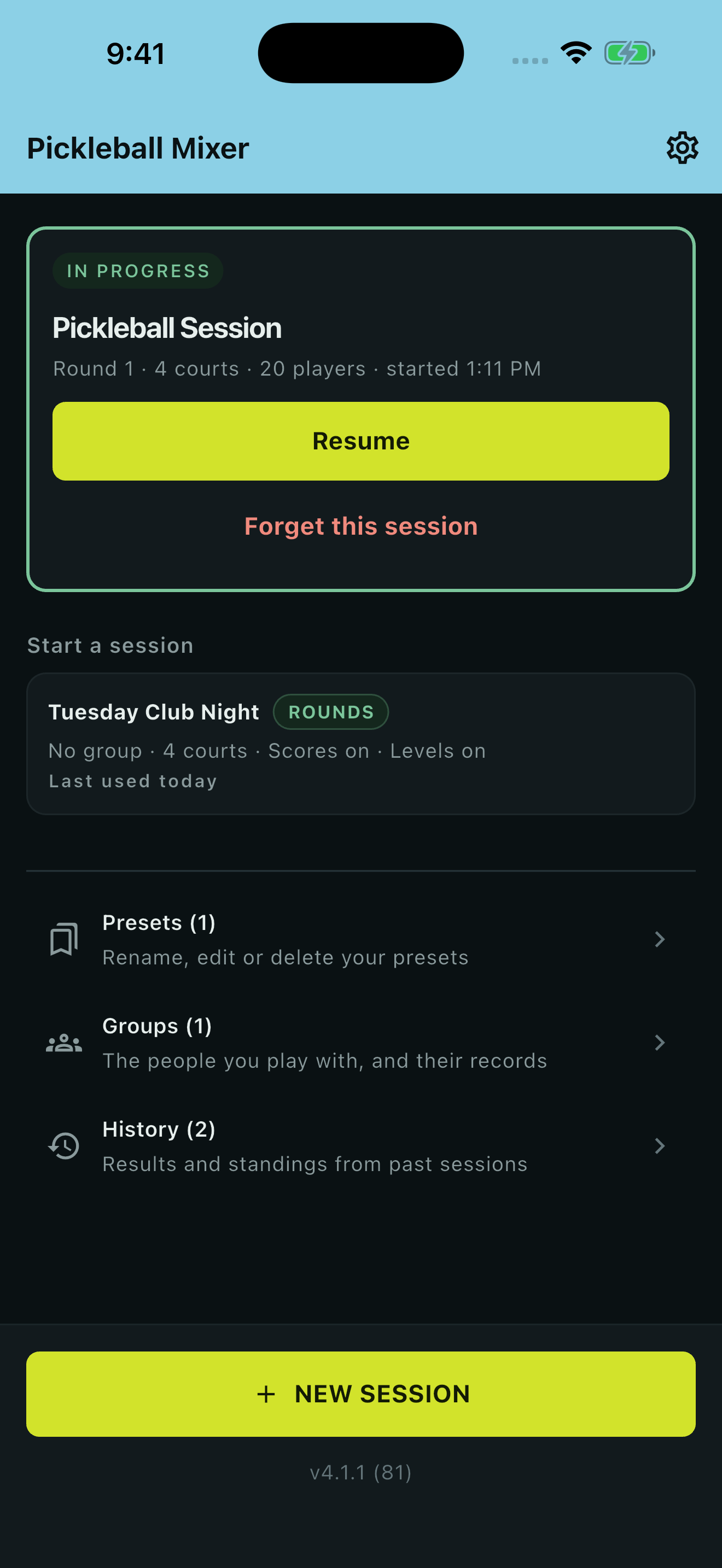
Opens on what you do next
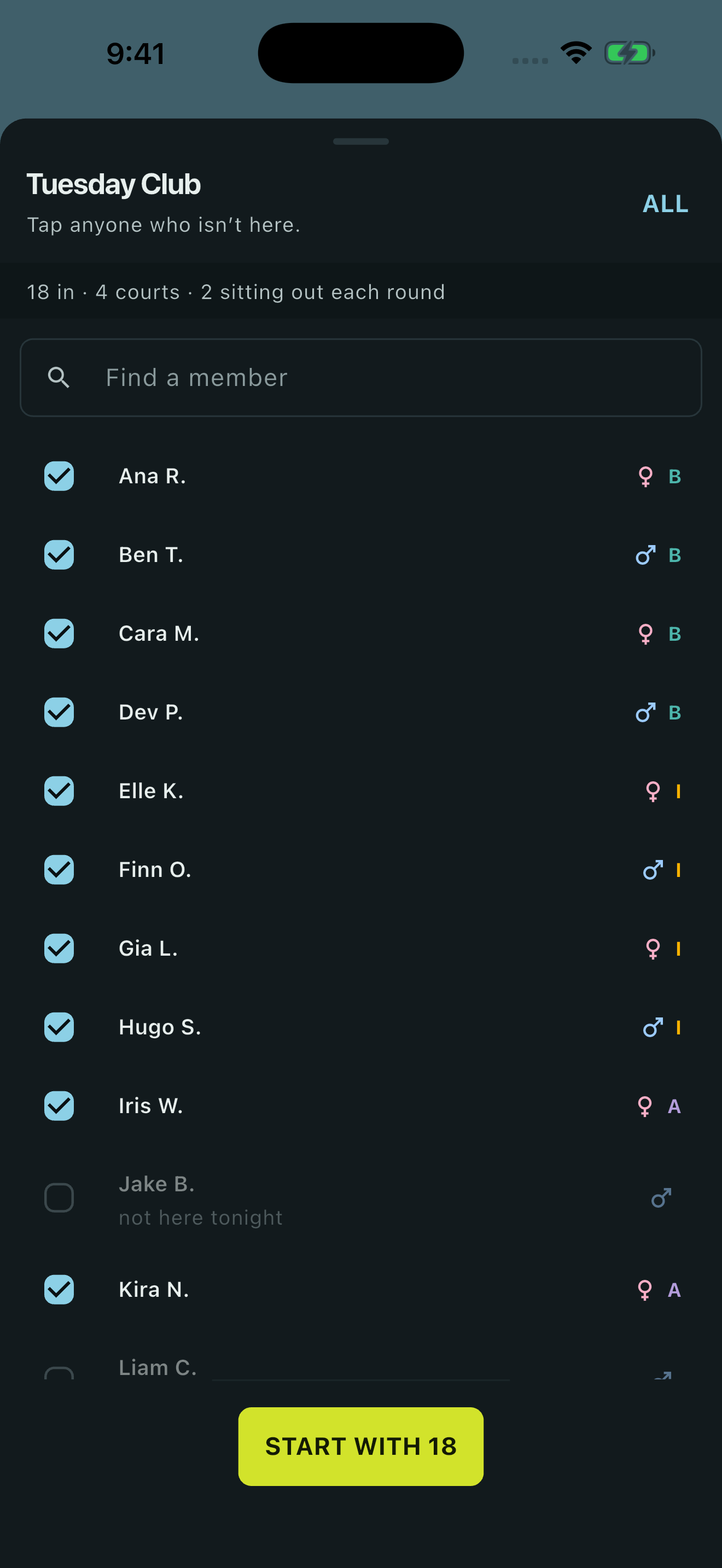
Your regulars, checked in
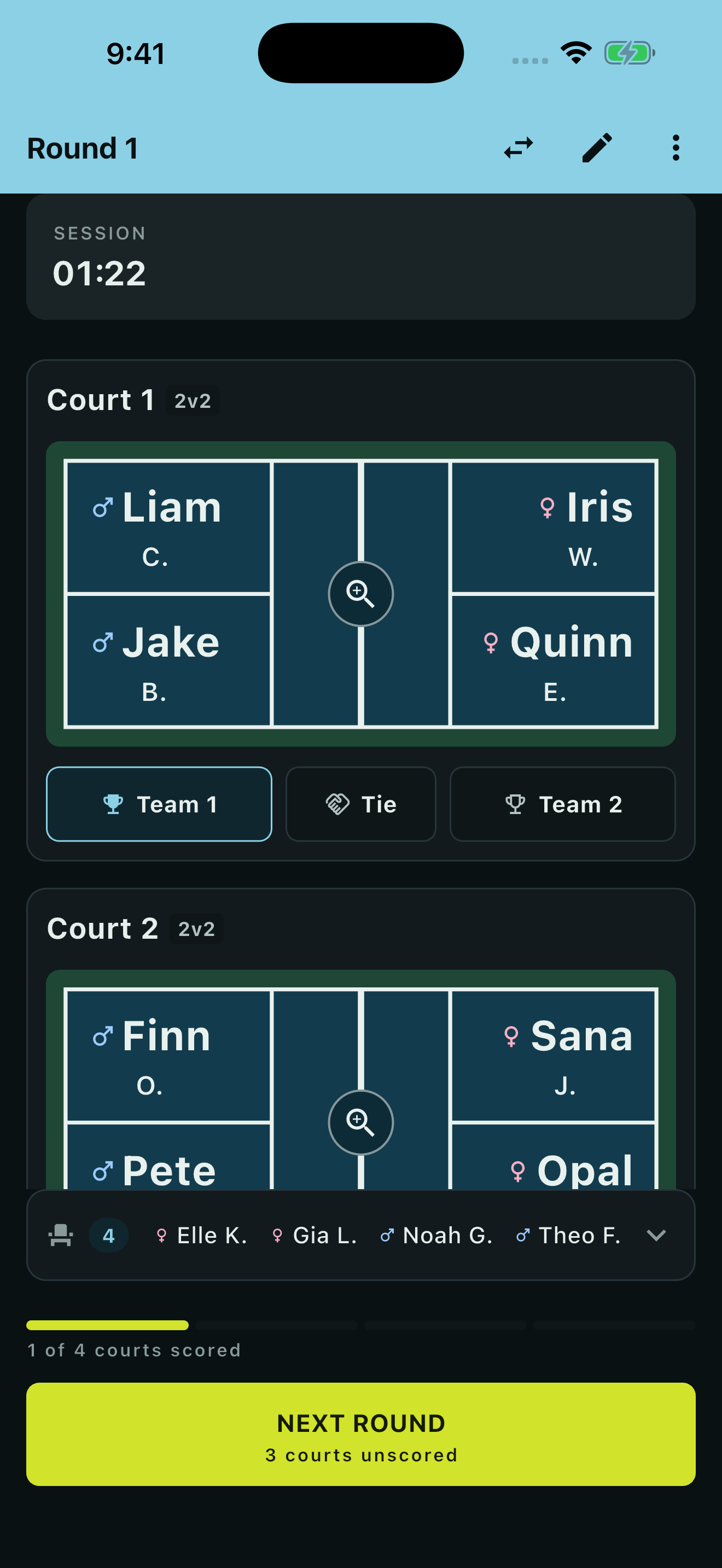
One tap: win, loss or tie
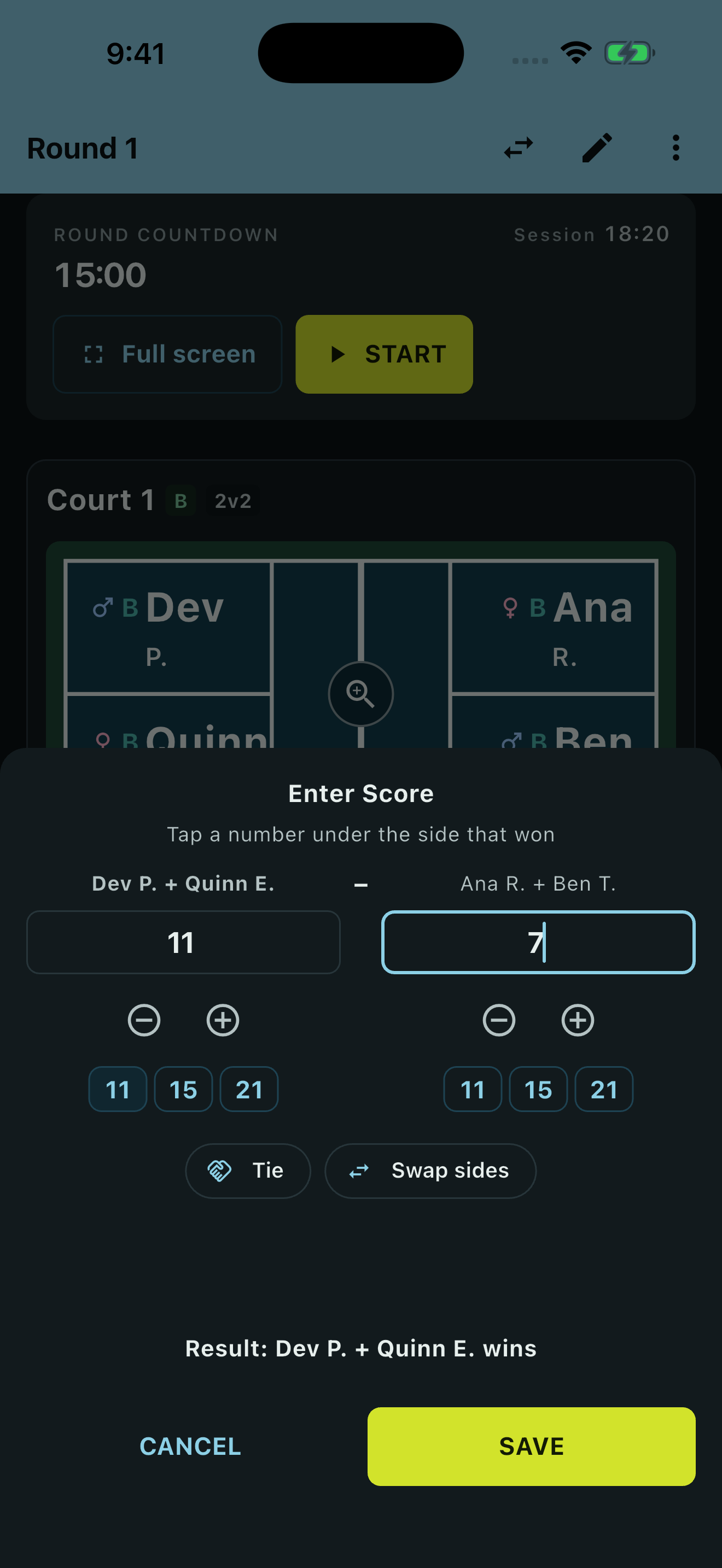
Scores, only if you want them
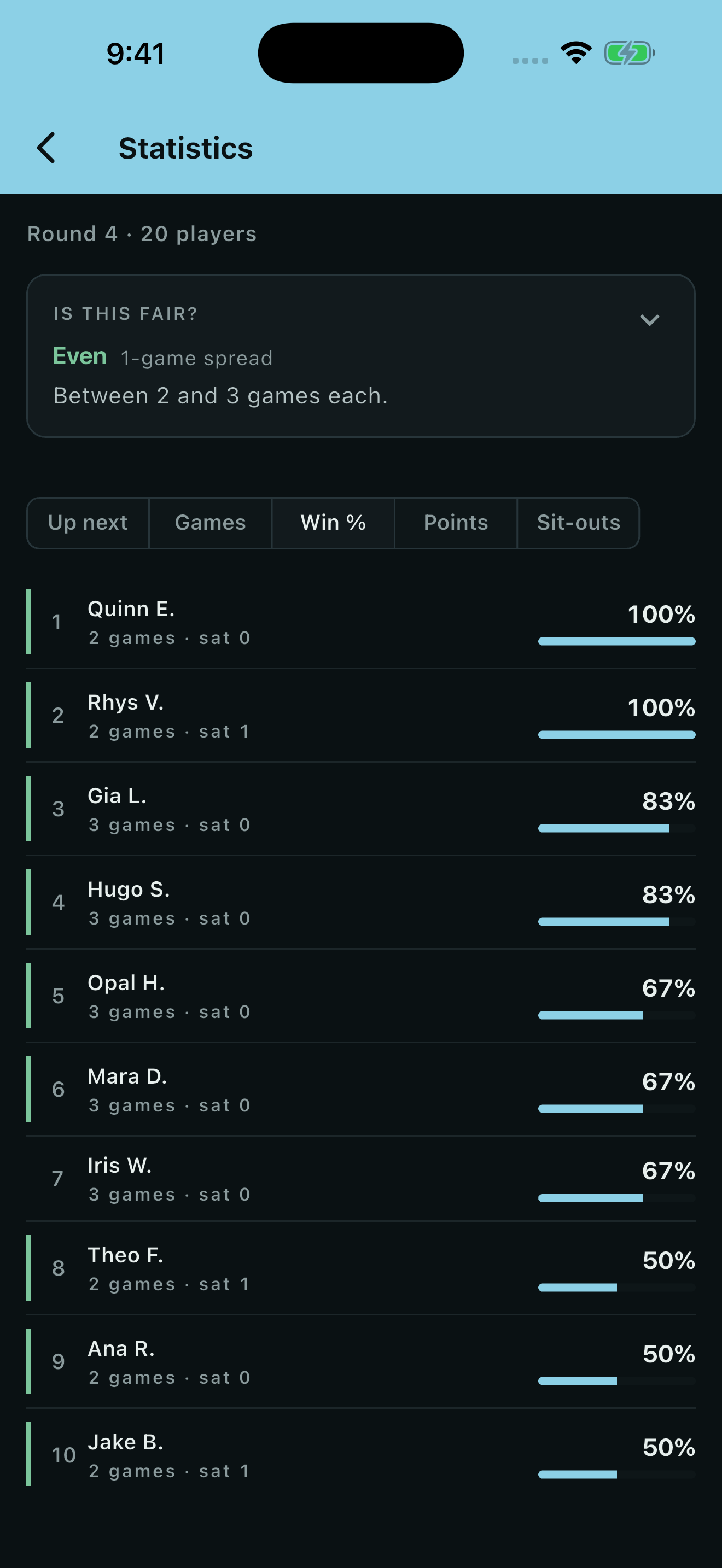
Ranked standings, fairness checked
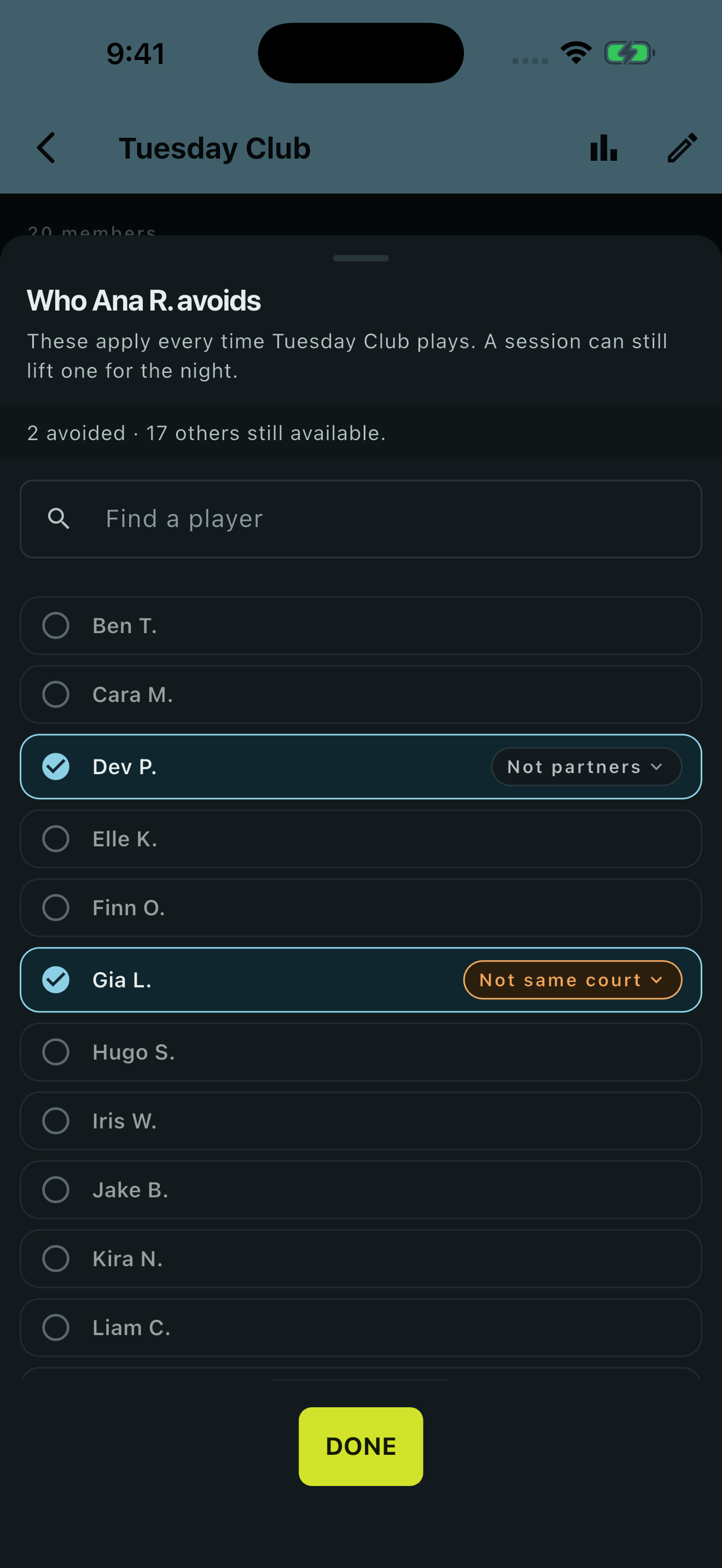
Two players the schedule keeps apart
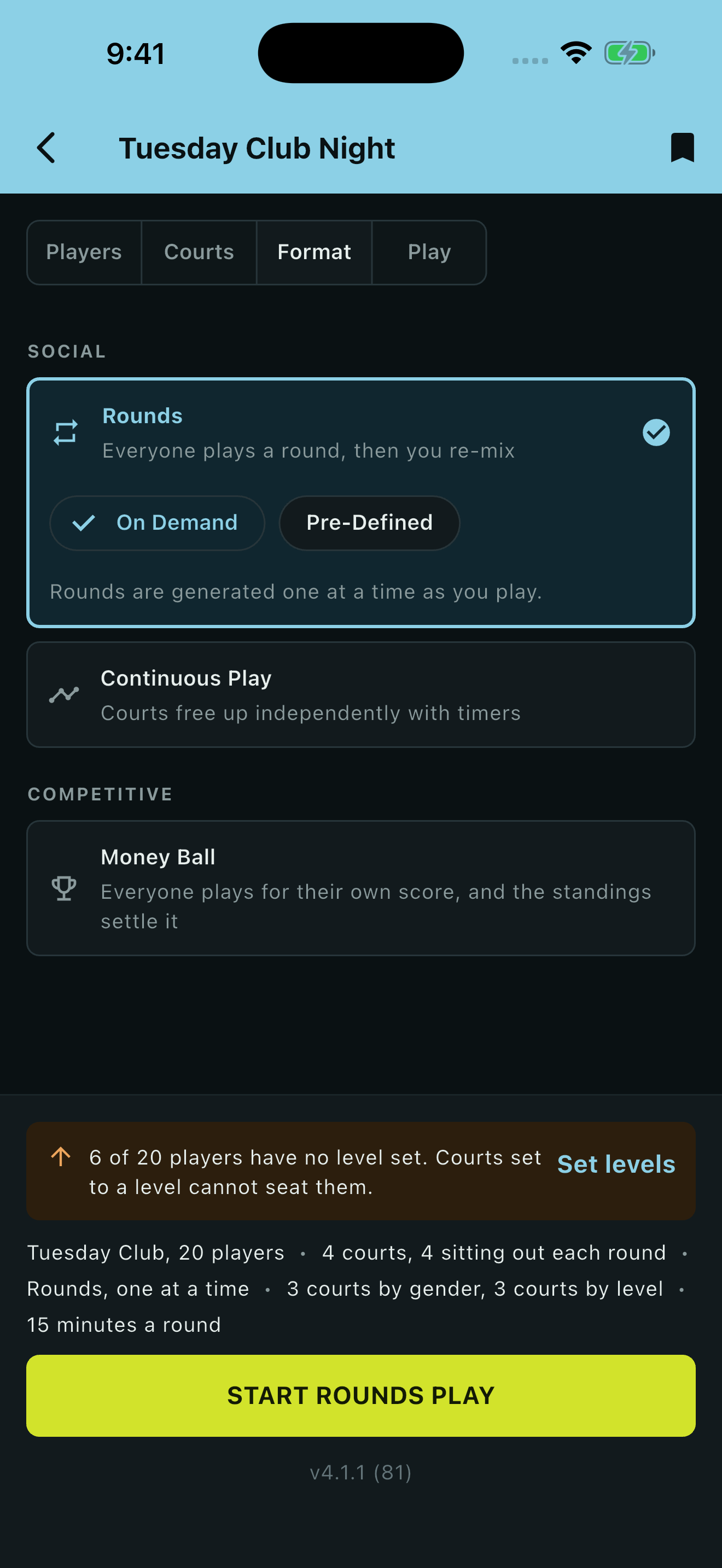
Pick how the night runs
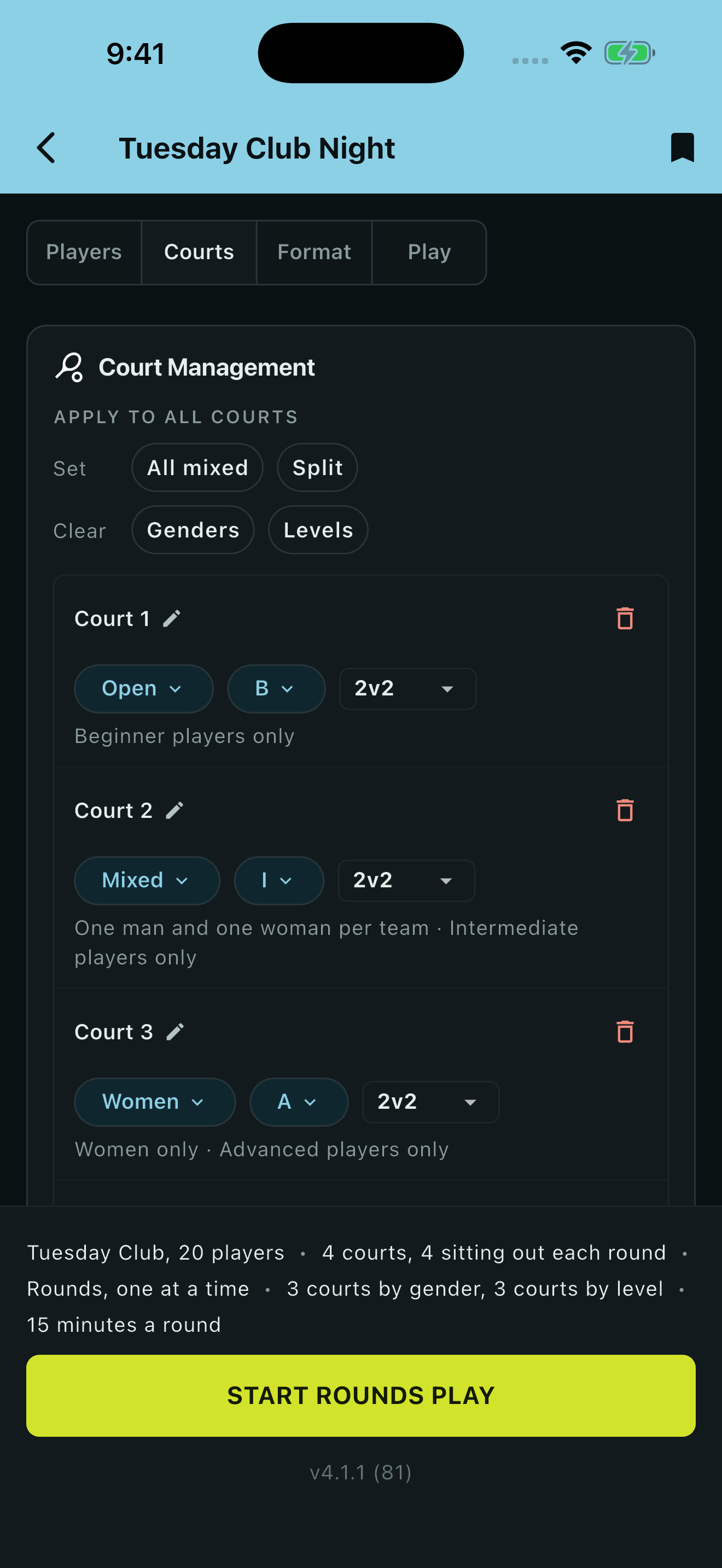
A rule per court
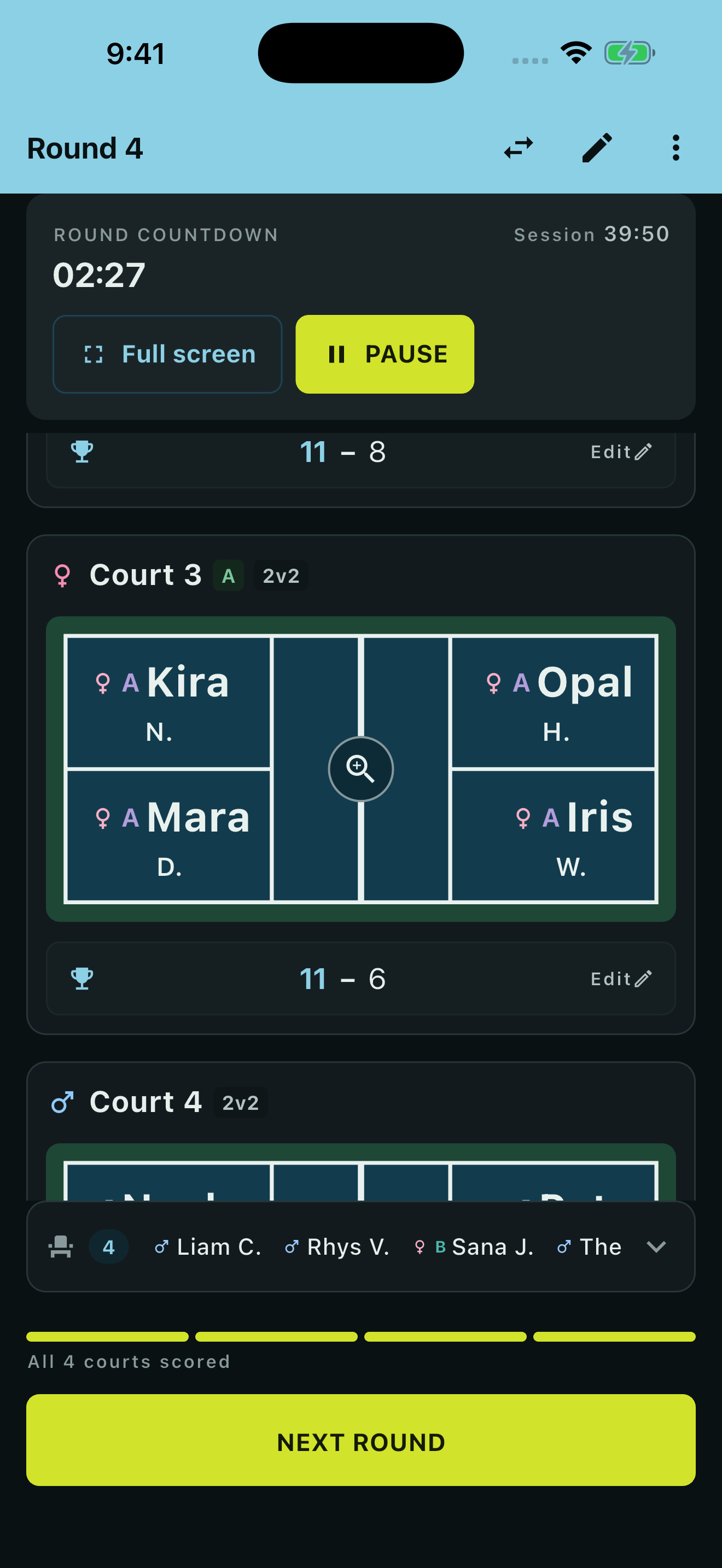
Mixed, women's and men's courts
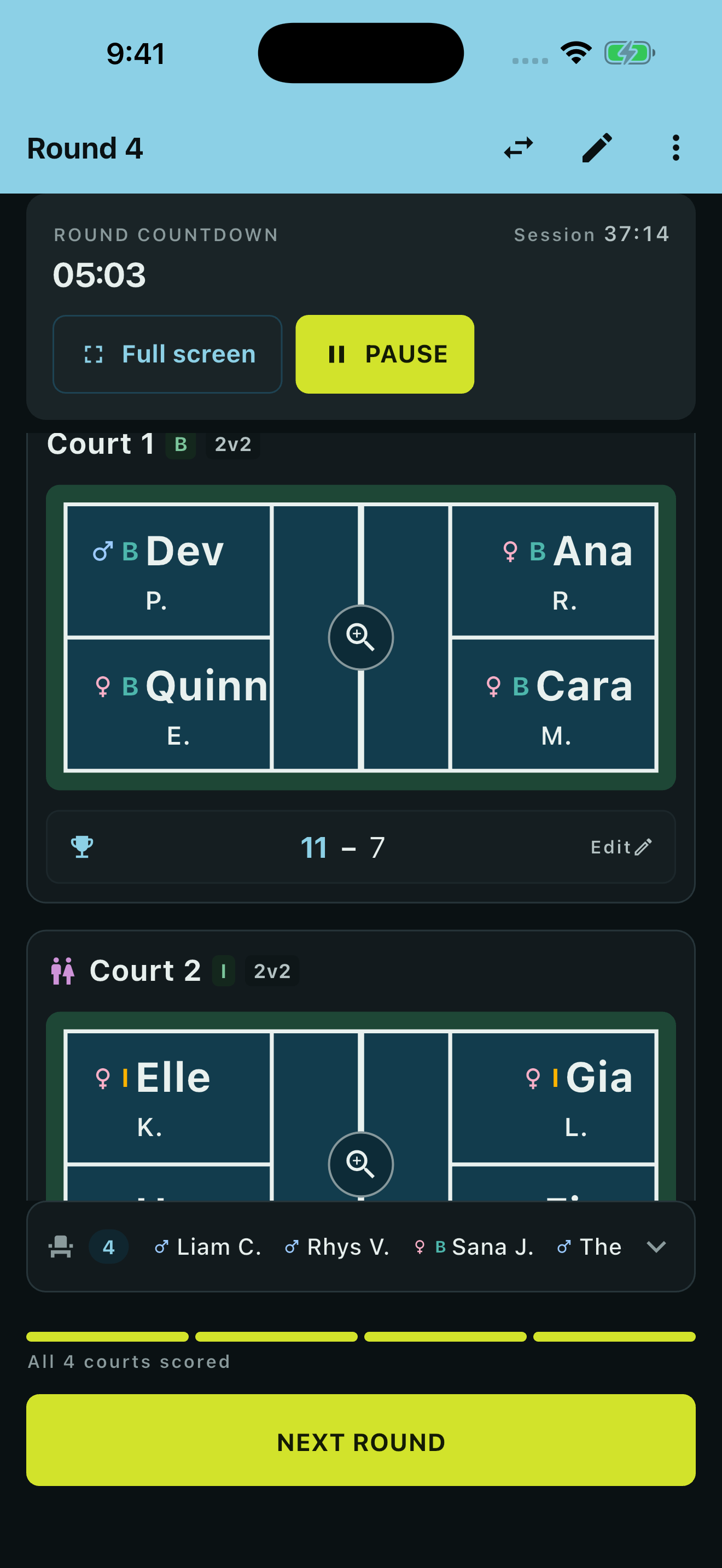
Courts by standard of play

Readable from the far baseline
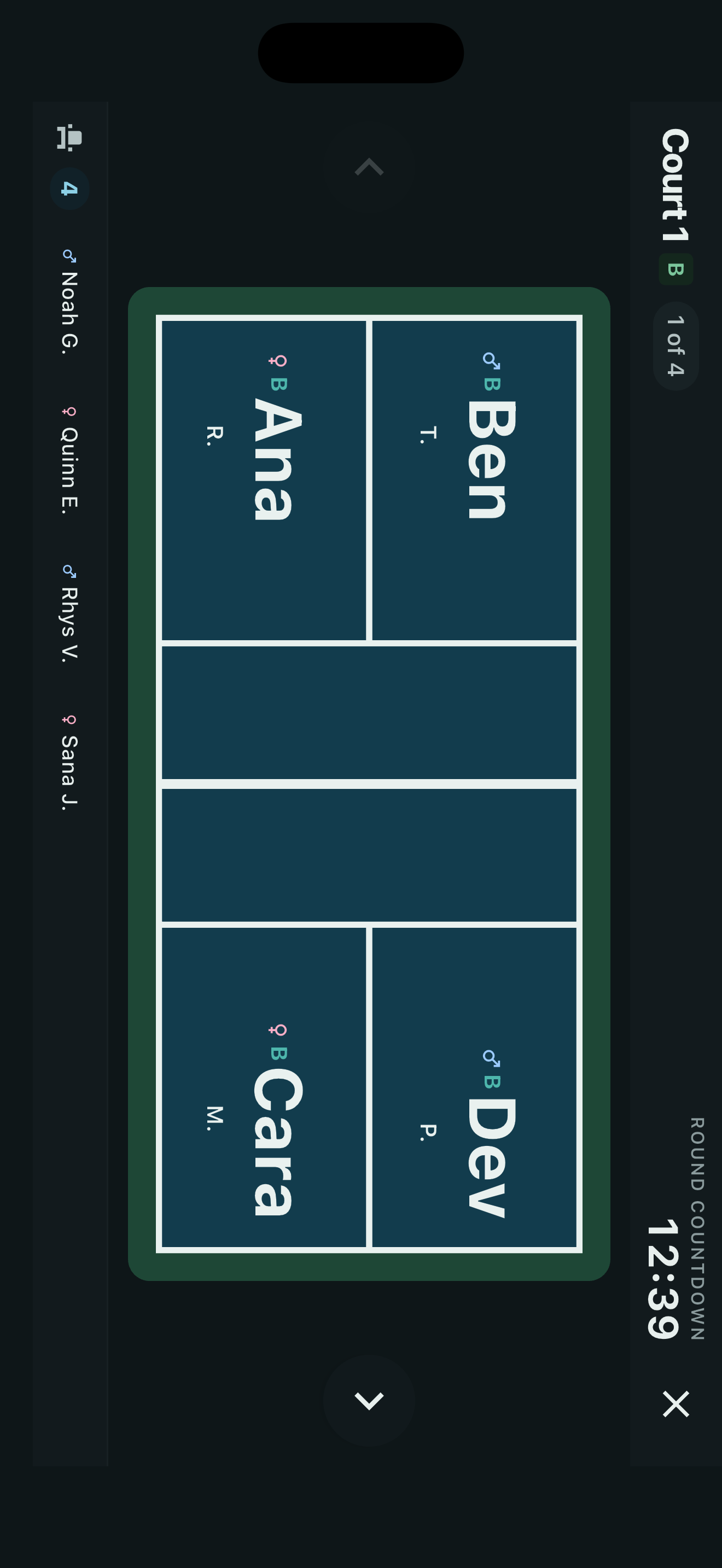
Any court, full screen
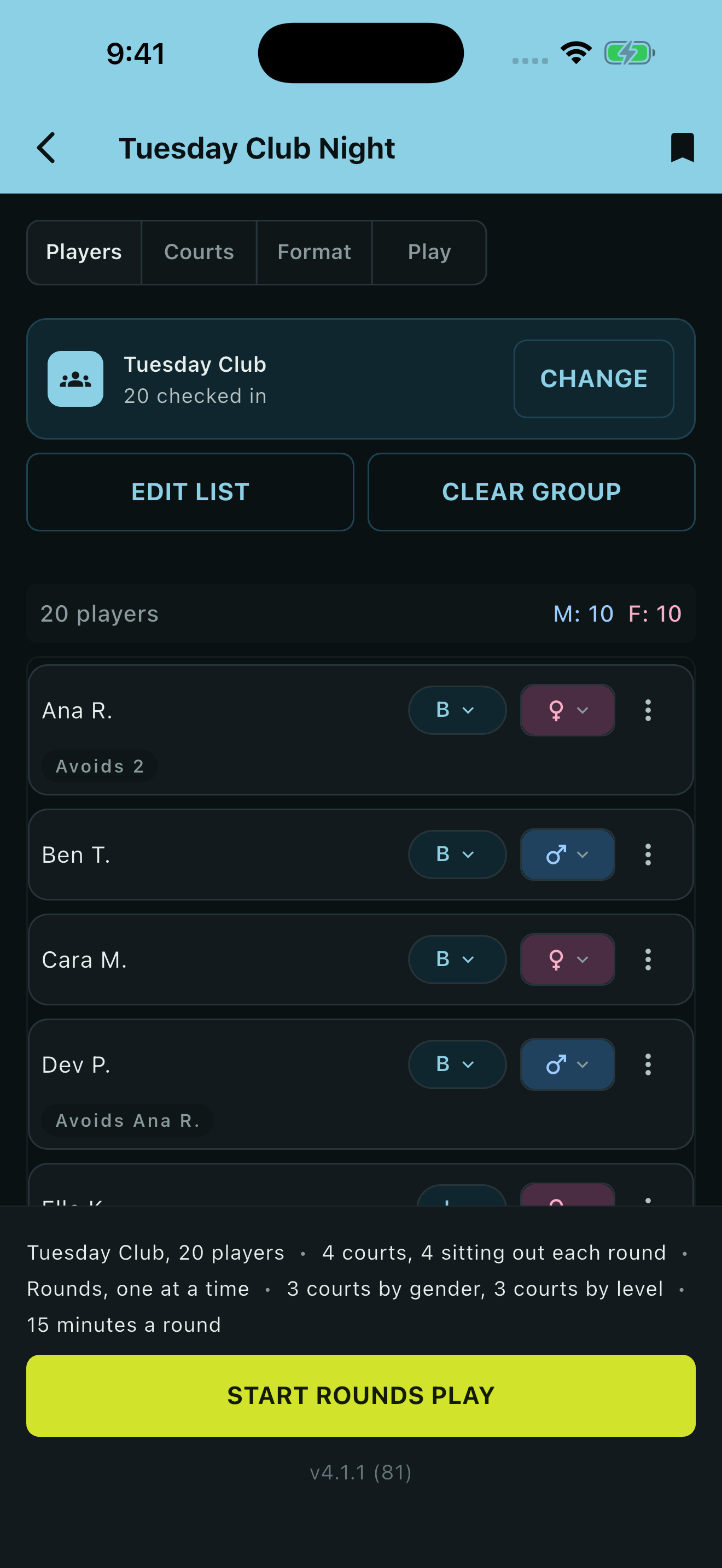
Everything set before you start
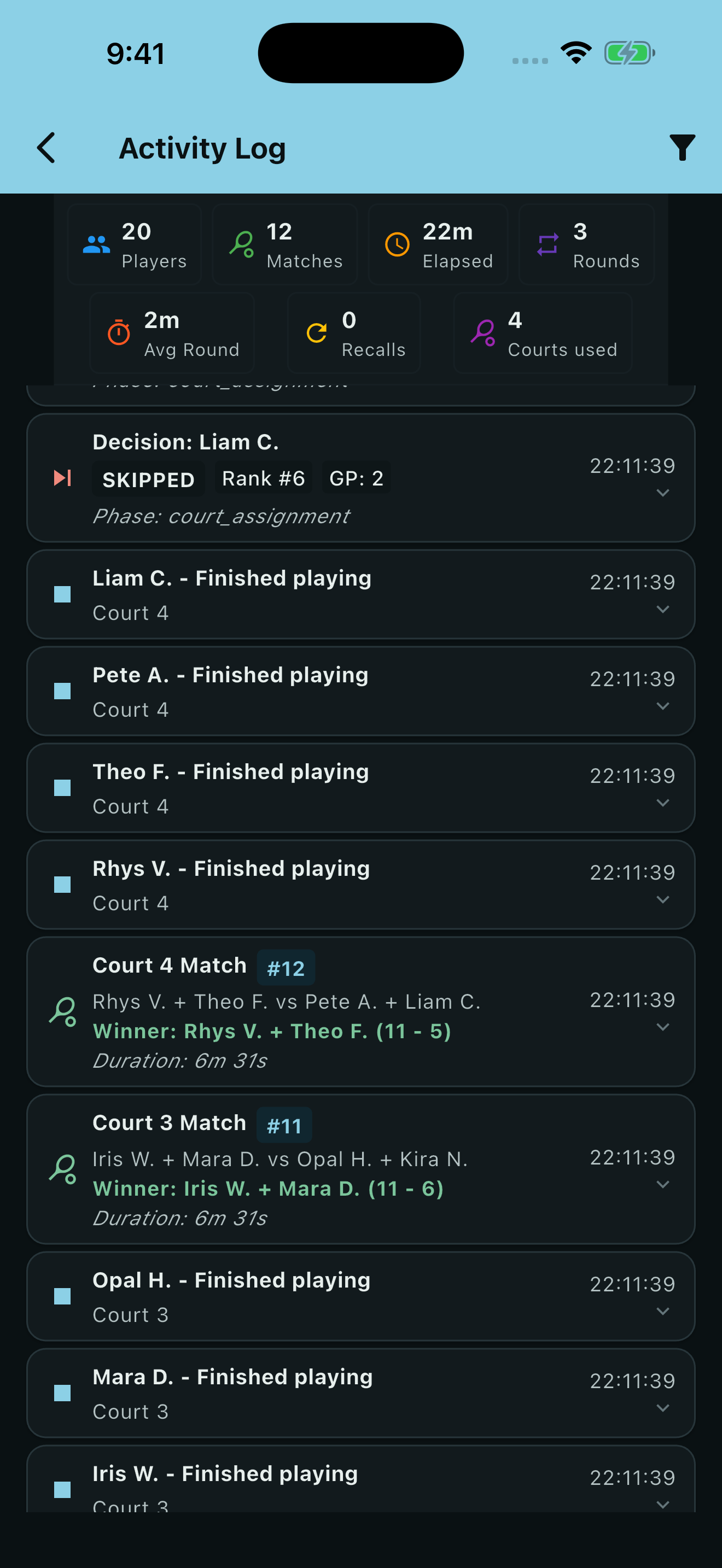
Every result, logged
Why it exists
Every club has one person running the session: names on a whiteboard, a mental note of who has already played together, and the blame when someone sits out twice in a row. It is a job nobody volunteers for twice.
Pickleball Mixer does that job properly. It watches play time, sit-outs, partners and opponents as the session runs, and builds the next round from what has actually happened - not from a fixed chart printed before anyone arrived. In rounds mode, whenever the maths allows it, no pair partners twice until every pair has partnered once.
How a session goes
Start from a preset you saved or a group you keep - or paste a player list, one name per line
Set how many courts you have, from 1 to 20, and what each one is for
Play a round, then tap the winning side or a tie - one tap per court
Tap next round. Everyone who was waiting is now on
Keep your regulars
A group is a roster you keep. Pick it, tick off who turned up, and start - nobody retypes twelve names every Monday. Checking in never edits the group, because missing a week is not the same as leaving. Guests are for one night only, and every member carries a record across the sessions they play.
Set the night up once
If you run the same evening every week, save it - the courts, the rules, the format and the round timer - under a name, and start from it next week in one tap. Rename one, edit it, or send it to whoever else runs the club. The app opens on what you do next: a session to resume, the setups you saved, your groups and the evenings you have played.
One tap, and the round moves on
Almost every app in this category makes you type a score for every match. Here the default is a winner or a tie, one tap per court. Turn score tracking on and each court offers a compact score sheet instead, with shortcuts for games to 11, 15 or 21 - the winner is worked out from the score, so nobody picks one twice.
Every court its own rules
Each court carries its own format - open, mixed, women's or men's - and can be set aside by standard of play: beginner, intermediate or advanced, matched exactly or as a floor. Run a women's court, a men's court and two open courts side by side, and the matchmaker fills each one legally or leaves it empty rather than forcing a lineup that breaks the rule.
Keep two players apart
Some people should not be put together. Say that two players are never partners, or never share a court at all. The rule lives on the group, so you set it once and every session that group plays honours it - and a single evening can add a rule for the night, or lift one, without changing the group. A court is left empty before a rule is broken, and you are told before you start if one cannot be met.
Pick a format
Rounds, built one at a time as you go - or the whole schedule generated up front and printed as a PDF to hand round. Continuous play, where each court refills the moment it frees up. Or Money Ball, a competitive format with rotating partners or fixed teams and a game length you set, where the setup screen tells you what a given round count actually buys before you commit to it. Every format records results the same way.
"Is this fair?", answered
The statistics screen opens with a verdict rather than a table to sort by hand: who has played least, who has sat out most, and the spread between them. With scores on it becomes a ranked standings table with points for, against and differential, a tie counting as half a win. Standings, the full activity log and per-player stats all export as CSV or JSON.
It ends with a result
Stop whenever you like and the evening still finishes properly, with final standings and a winner - after four rounds of seven as much as after all seven. Every session is kept, with the scorelines and who played whom, and the history can be tidied up once it gets long.
Built for courtside
The round timer goes full screen, big enough to read from the far baseline, and calls the one-minute warning and time's up out loud - so you can run the session without watching your phone. The countdown stays live on your lock screen, and any court zooms to full screen to show at a glance who is on it and what it is playing.
Plans change
People arrive late, leave early and want to play with a friend. Anything you can set before a session you can change during it, on the same screen - add or remove players, swap two between courts, link partners who stay together - and every edit is held until you apply it, so nothing moves under you mid-round. Close the app or restart the phone and the session resumes where it was.
Free - and the one purchase only removes the ads
Everything above is in the free app. Groups, presets, avoid rules, every format, court rules, standard-of-play courts, score tracking, the full-screen timer, exports and the printable schedule are not held back behind anything.
Pickleball Mixer shows ads, and a single one-time purchase removes them permanently. It is not a subscription, and it unlocks nothing else - there is nothing else to unlock.
Privacy
There are no accounts. Your players, groups and sessions are stored on the device itself, and a session you export is a file you control. Pickleball Mixer is the one devmesh app that carries advertising - served by Google AdMob, which collects data under its own policy, and removed for good by the one-time purchase.
See our privacy policy for the details.